

Fire Sprinkler Inspection
Fire sprinkler inspection software built for NFPA 25.
Stay on top of weekly, monthly, quarterly, and annual ITM tasks — and hand inspectors a complete NFPA 25 record on demand.
NFPA 25 has a frequency for everything.
Gauges, control valves, alarm devices, backflow preventers — each has its own inspection, testing, and maintenance cadence. Tracking all of it across multiple buildings in spreadsheets is where compliance quietly slips. Inspection Logging keeps every system's ITM schedule current and the records audit-ready.
Built around NFPA 25
NFPA 25 governs the inspection, testing, and maintenance of water-based fire protection systems on a mix of weekly, monthly, quarterly, semi-annual, and annual cycles depending on the component. Inspection Logging lets you assign the right interval to each system and routes reminders to your team before tasks come due.
Every ITM frequency, tracked
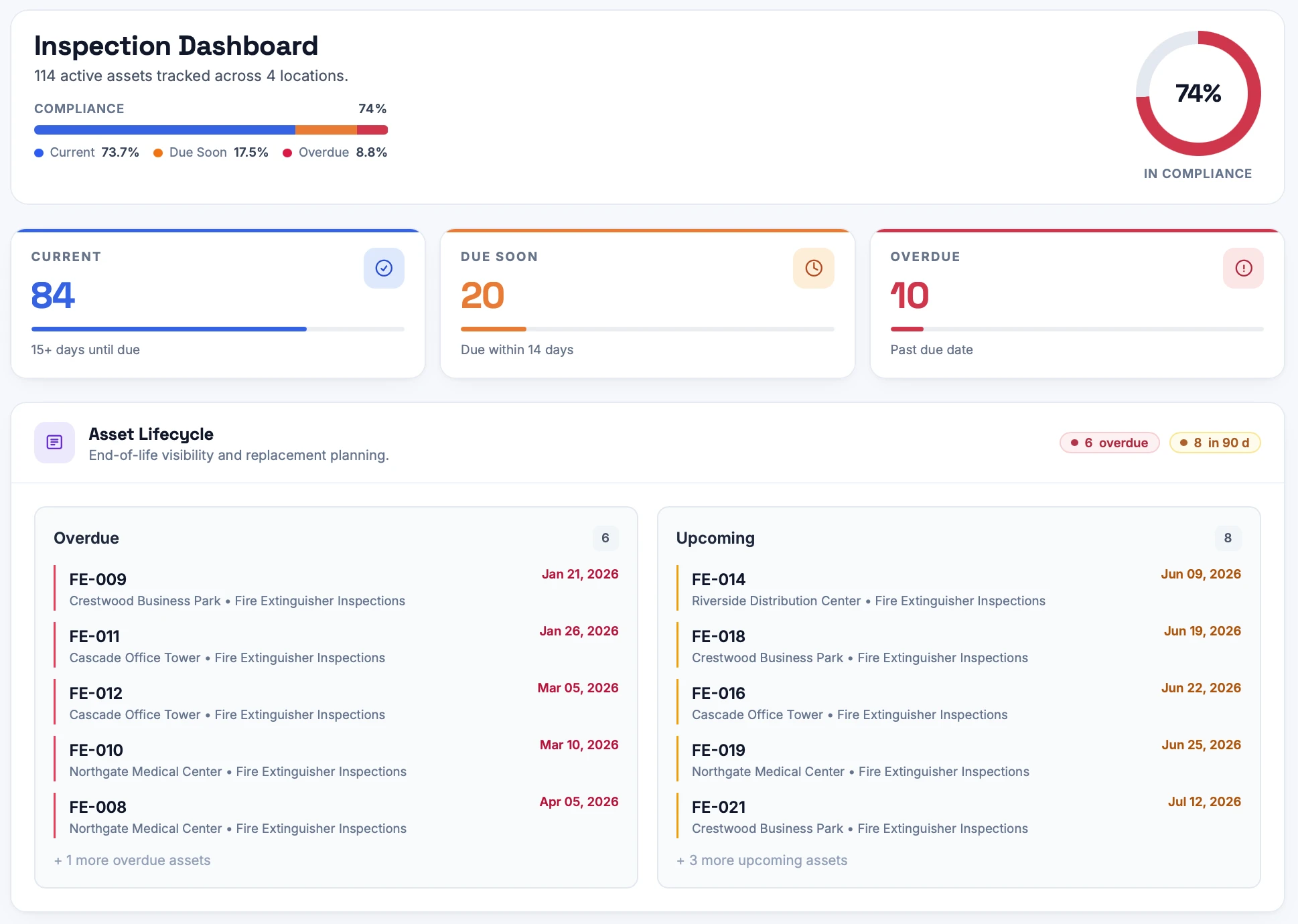
Assign weekly, monthly, quarterly, or annual intervals per system or component. The dashboard shows what's current, what's due soon, and what's overdue across every site.
Evidence and certificates together
Record in-house checks with photos, and upload certificates from your sprinkler contractor — all attached to the system's permanent record.
Audit-ready NFPA 25 reports
Produce a PDF of inspection, testing, and maintenance history per location or organization-wide whenever an authority having jurisdiction or insurer asks.
How it works
Step 01
Add your locations and sprinkler systems
Create each site and register every sprinkler system you're responsible for. Bulk-add dozens at once and assign each one its inspection interval.
Step 02
Inspect from a phone, tablet, or laptop
Your team runs the checklist on any device — pass/fail, notes, photos. When a third party services a sprinkler system, upload the certificate. When something fails, open a repair right from the record.
Step 03
Pull the report whenever you need it
Audit-ready PDFs per location or across the whole organization, ready to hand to an inspector the moment they ask. CSV and custom exports too.
See exactly where you stand
The dashboard shows what's current, what's due soon, and what's overdue across every site — updated the moment an inspection is completed, so nothing slips between audits.
Every record on the asset itself
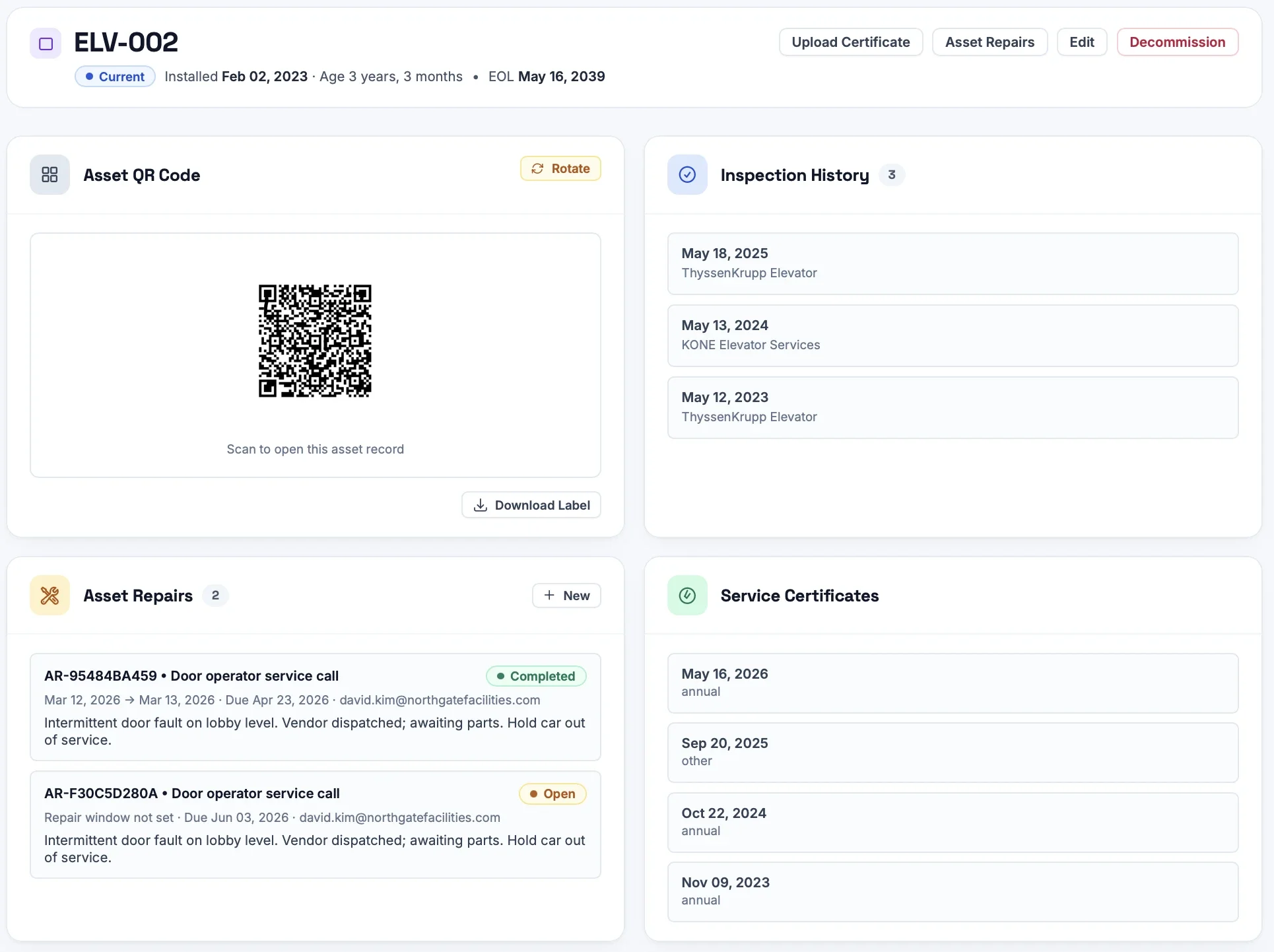
Each sprinkler system keeps a permanent record: inspection history, service certificates, open repairs, and a printable QR label. Scan it in the field to pull up the full story instantly.
Frequently Asked Questions
Yes. You set each system or component's interval — weekly through annual — and Inspection Logging tracks due dates, sends reminders, and records every completed task with date, inspector, notes, and photos.
Yes. When a third party performs testing or maintenance, upload their certificate to the system's record so in-house checks and contractor documentation live in one place.
Yes. Inspection Logging is built for multi-site teams. Organize systems by location, see compliance status across every site at a glance, and generate organization-wide reports.
Yes. Each system keeps a complete, dated ITM history, and you can export it as an audit-ready PDF on demand.
More inspection software by type
Get every sprinkler system inspection-ready.
Set up your first location in minutes. 14-day free trial, no credit card, no contract.
Start Free Trial