

Fire Door Inspection
Fire door inspection software built for NFPA 80.
Run annual fire door inspections, capture deficiencies with photos, and produce NFPA 80 documentation on demand.
Every fire door has to be inspected — and documented.
Fire door assemblies must be inspected annually, and each one has a list of conditions to verify: clearances, seals, hardware, labels, and more. Tracking dozens or hundreds of doors across buildings on paper is exactly where compliance gaps open. Inspection Logging keeps every door's inspection history audit-ready.
Built around NFPA 80
NFPA 80 requires fire door assemblies to be inspected and tested not less than annually, with deficiencies corrected without delay. Inspection Logging tracks each door's annual due date, captures the inspection checklist with photos, and lets you open a repair when a door fails.
Annual reminders for every door
Set each door's annual inspection interval once. Reminders go out ahead of the due date, and overdue doors surface immediately across every site.
Checklist and photo evidence
Inspect each door from a phone against your checklist, capturing clearances, hardware, labels, and seals — with photos attached to that exact door.
Track and close deficiencies
When a door fails, open a repair right from its record and track it through to correction, with the full history preserved.
How it works
Step 01
Add your locations and fire doors
Create each site and register every fire door you're responsible for. Bulk-add dozens at once and assign each one its inspection interval.
Step 02
Inspect from a phone, tablet, or laptop
Your team runs the checklist on any device — pass/fail, notes, photos. When a third party services a fire door, upload the certificate. When something fails, open a repair right from the record.
Step 03
Pull the report whenever you need it
Audit-ready PDFs per location or across the whole organization, ready to hand to an inspector the moment they ask. CSV and custom exports too.
See exactly where you stand
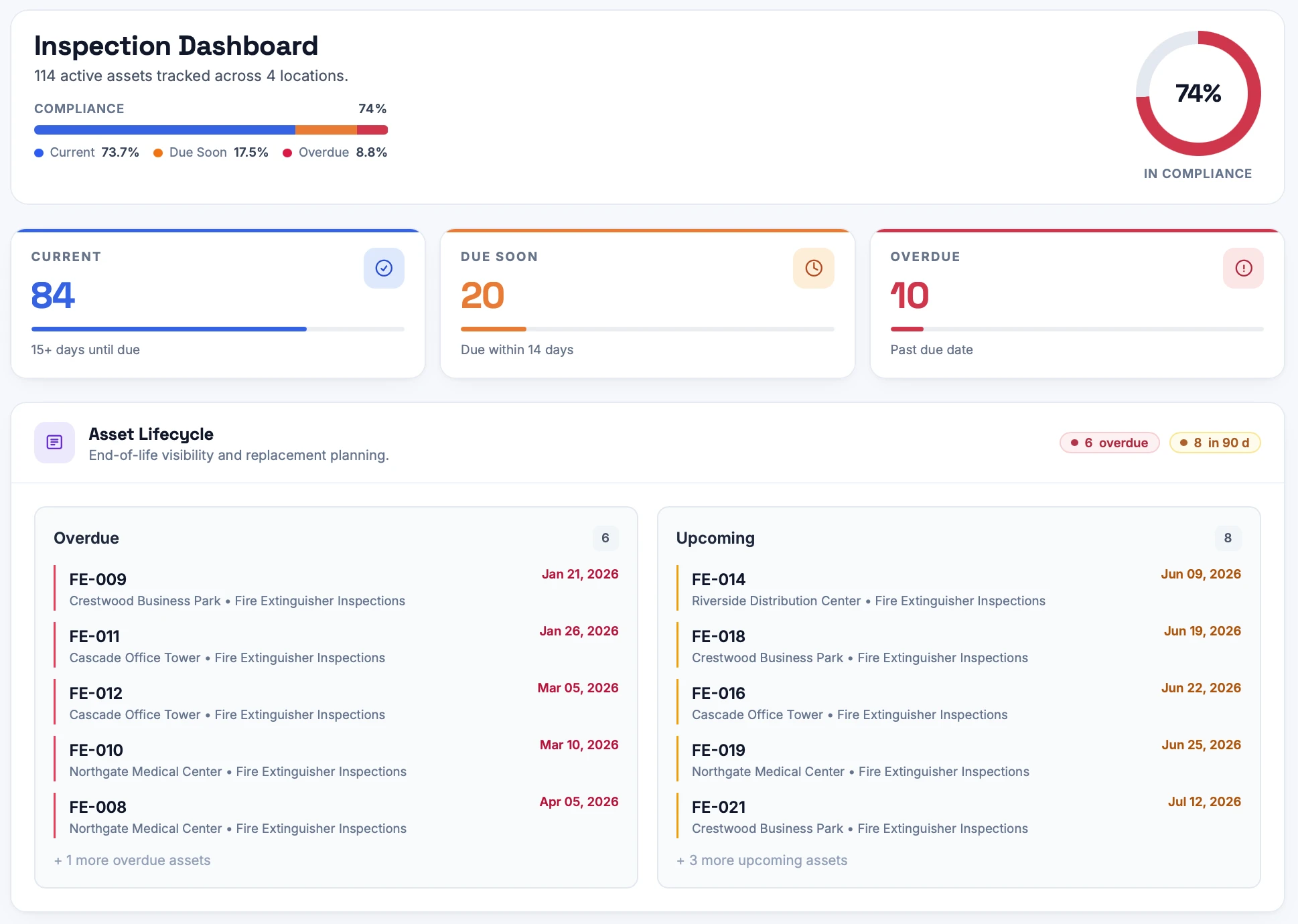
The dashboard shows what's current, what's due soon, and what's overdue across every site — updated the moment an inspection is completed, so nothing slips between audits.
Every record on the asset itself
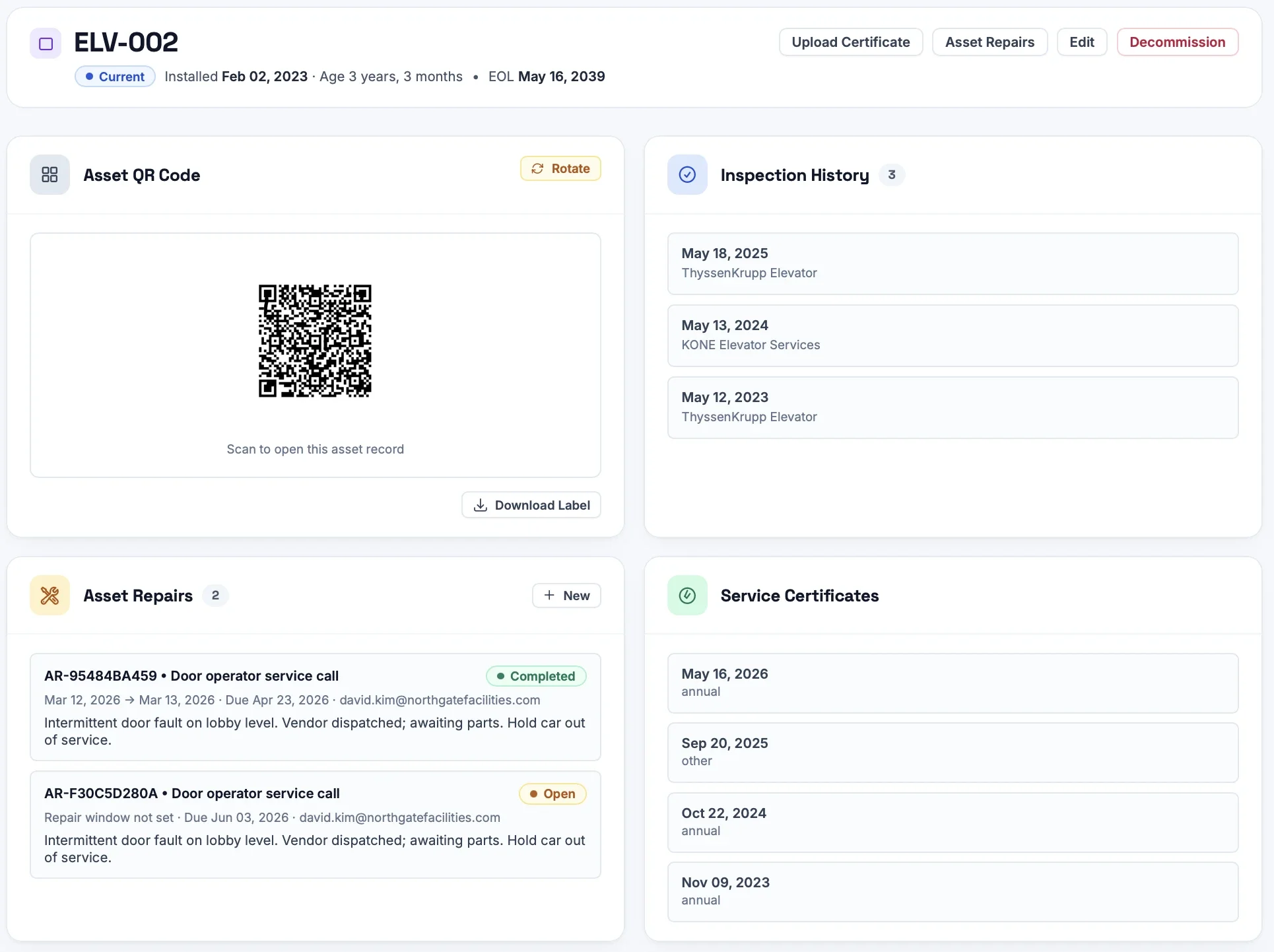
Each fire door keeps a permanent record: inspection history, service certificates, open repairs, and a printable QR label. Scan it in the field to pull up the full story instantly.
Frequently Asked Questions
Yes. Assign each door an annual inspection interval and Inspection Logging tracks due dates, sends reminders, and stores every dated inspection with checklist results, notes, and photos.
Yes. When a door fails inspection, open a repair case from its record, assign it, and track status through to correction — with invoices and documents attached.
Yes. Inspection Logging runs in any mobile browser, so staff complete the checklist and attach photos right at the door. Each door can also carry a printable QR label to pull up its record.
Generate an audit-ready PDF of each door's inspection history per building or organization-wide whenever an inspector asks.
More inspection software by type
Get every fire door inspection-ready.
Set up your first location in minutes. 14-day free trial, no credit card, no contract.
Start Free Trial